The Tech Edvocate

Top Menu

  • Advertisement
  • Apps
  • Home Page
  • Home Page Five (No Sidebar)
  • Home Page Four
  • Home Page Three
  • Home Page Two
  • Home Tech2
  • Icons [No Sidebar]
  • Left Sidbear Page
  • Lynch Educational Consulting
  • My Account
  • My Speaking Page
  • Newsletter Sign Up Confirmation
  • Newsletter Unsubscription
  • Our Brands
  • Page Example
  • Privacy Policy
  • Protected Content
  • Register
  • Request a Product Review
  • Shop
  • Shortcodes Examples
  • Signup
  • Start Here
    • Governance
    • Careers
    • Contact Us
  • Terms and Conditions
  • The Edvocate
  • The Tech Edvocate Product Guide
  • Topics
  • Write For Us
  • Advertise

Main Menu

  • Start Here
    • Our Brands
    • Governance
      • Lynch Educational Consulting, LLC.
      • Dr. Lynch’s Personal Website
      • Careers
    • Write For Us
    • The Tech Edvocate Product Guide
    • Contact Us
    • Books
    • Edupedia
    • Post a Job
    • The Edvocate Podcast
    • Terms and Conditions
    • Privacy Policy
  • Topics
    • Assistive Technology
    • Child Development Tech
    • Early Childhood & K-12 EdTech
    • EdTech Futures
    • EdTech News
    • EdTech Policy & Reform
    • EdTech Startups & Businesses
    • Higher Education EdTech
    • Online Learning & eLearning
    • Parent & Family Tech
    • Personalized Learning
    • Product Reviews
  • Advertise
  • Tech Edvocate Awards
  • The Edvocate
  • Pedagogue
  • School Ratings

logo

The Tech Edvocate

  • Start Here
    • Our Brands
    • Governance
      • Lynch Educational Consulting, LLC.
      • Dr. Lynch’s Personal Website
        • My Speaking Page
      • Careers
    • Write For Us
    • The Tech Edvocate Product Guide
    • Contact Us
    • Books
    • Edupedia
    • Post a Job
    • The Edvocate Podcast
    • Terms and Conditions
    • Privacy Policy
  • Topics
    • Assistive Technology
    • Child Development Tech
    • Early Childhood & K-12 EdTech
    • EdTech Futures
    • EdTech News
    • EdTech Policy & Reform
    • EdTech Startups & Businesses
    • Higher Education EdTech
    • Online Learning & eLearning
    • Parent & Family Tech
    • Personalized Learning
    • Product Reviews
  • Advertise
  • Tech Edvocate Awards
  • The Edvocate
  • Pedagogue
  • School Ratings
  • The Brutal Truth: 8 Lies Scammers Tell About Your Student Loans

  • New Student Loan Rules: The Shocking Truth About 2026 Relief Programs

  • New Repayment Plan Changes Trigger Student Loan Scam Epidemic

  • Why Millions Are Ditching Degrees for This One Skill-Boosting Secret

  • The Quiet Revolution: How Micro-Credentials Are Reshaping Tech Careers

  • Why 96% of Employers Are Now Demanding Micro-Credentials

  • This One Incident Exposed How Vulnerable Your Student Data Really Is

  • The Brutal Truth About EdTech Security: 10 Solutions to Prevent Another Canvas LMS Disaster

  • The Billion-User Data Heist: Why Your Child’s School Data Is Under Attack

  • This Crucial Mistake Is Killing Your Tech Career (It’s Not What You Think)

Tech Advice
Home›Tech Advice›App Drawer

App Drawer

By Matthew Lynch
July 20, 2023
0
Spread the love

In our rapidly-evolving digital world, smartphones have become an indispensable part of our daily lives. From work to socializing, our smartphones facilitate a multitude of tasks, and we heavily rely on them for smooth functioning. One essential piece that greatly contributes to this seamless experience is the “App Drawer.” In this article, we will delve into what an app drawer is, the role it plays in organizing your applications, and how you can customize it for personalized use.

What is an App Drawer?

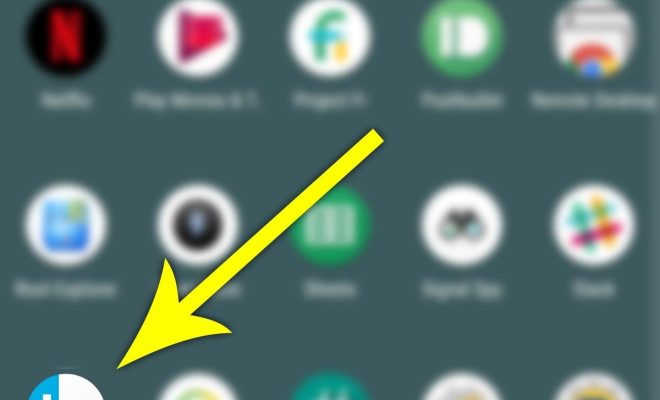
The app drawer is a dedicated space in your smartphone where all your installed applications reside. In simple terms, it functions as a storage facility or a filing cabinet for your apps. When you download an app from the app store or install one manually, it gets placed in the app drawer. This design choice helps in keeping your home screen less cluttered and allows for better organization.

Why is an App Drawer Important?

1. Organization: The primary function of the app drawer is to keep your applications organized away from the home screen. You can access any installed app through the drawer without having to search through multiple pages or folders on your smartphone.

2. Easy Access: The app drawer provides you with a consolidated list of all your installed apps at one place, making it easier to locate and access them when needed. This not only saves time but also increases efficiency in managing your myriad apps.

3. Clutter-Free Home Screen: By using an app drawer, you can declutter your home screen by placing only frequently-accessed or essential apps out front. This minimalistic approach can greatly enhance usability and lead to improved productivity.

Customization Options

The degree of customization varies between different smartphone manufacturers and launcher apps. Here are some common customization options available in most app drawers:

1. Sorting Options: You can usually sort or arrange apps in various ways such as alphabetical order, installation date, or usage frequency.

2. Grid Layout: Change the grid layout to facilitate more apps in a single view or expand the spacing between individual apps for a clean aesthetic.

3. Folders: Some app drawers provide an option to create folders to group similar apps together, further enabling better organization and easy access.

4. Search Bar: A built-in search bar within the app drawer allows you to quickly search and launch an app by typing its name.

5. Hide Apps: In certain launchers, you have the option to hide specific apps from showing up, providing privacy or even additional decluttering.

Conclusion

Smartphone design and functionality constantly evolve as new models enter the market. However, one element that remains essential and has stood the test of time is the app drawer. It not only helps in organizing our ever-growing list of applications but also contributes to a cleaner user interface and an optimized workflow. Understanding your app drawer’s capabilities and customizing it according to your preferences is a small step towards achieving a more efficient smartphone experience.


Previous Article

Amazon.com

Next Article

How to Unlock Your Phone From Any ...

Matthew Lynch

Related articles More from author

  • Tech Advice

    Frost Bank: 2023 Home Equity Review

    July 11, 2023
    By Matthew Lynch
  • Tech Advice

    How to Search the Web from Linux Terminal

    May 7, 2023
    By Matthew Lynch
  • Tech Advice

    2024 McLaren 750S: A Lighter, Mightier, and Subtly Restyled 720S

    August 11, 2023
    By Matthew Lynch
  • Tech Advice

    Best Marriott Bonvoy Benefits

    October 20, 2023
    By Matthew Lynch
  • Tech Advice

    2024 Honda CR-V Priced for Australia, Now with Hybrid

    August 11, 2023
    By Matthew Lynch
  • Tech Advice

    Fast Food Inflation: A Look at the Most Expensive Burgers, Fries, and Sandwiches

    July 9, 2023
    By Matthew Lynch

Search

Login & Registration

  • Log in
  • Entries feed
  • Comments feed
  • WordPress.org

Newsletter

Signup for The Tech Edvocate Newsletter and have the latest in EdTech news and opinion delivered to your email address!

About Us

Since technology is not going anywhere and does more good than harm, adapting is the best course of action. That is where The Tech Edvocate comes in. We plan to cover the PreK-12 and Higher Education EdTech sectors and provide our readers with the latest news and opinion on the subject. From time to time, I will invite other voices to weigh in on important issues in EdTech. We hope to provide a well-rounded, multi-faceted look at the past, present, the future of EdTech in the US and internationally.

We started this journey back in June 2016, and we plan to continue it for many more years to come. I hope that you will join us in this discussion of the past, present and future of EdTech and lend your own insight to the issues that are discussed.

Newsletter

Signup for The Tech Edvocate Newsletter and have the latest in EdTech news and opinion delivered to your email address!

Contact Us

The Tech Edvocate
910 Goddin Street
Richmond, VA 23231
(601) 630-5238
[email protected]

Copyright © 2026 Matthew Lynch. All rights reserved.