The Tech Edvocate

Top Menu

  • Advertisement
  • Apps
  • Home Page
  • Home Page Five (No Sidebar)
  • Home Page Four
  • Home Page Three
  • Home Page Two
  • Home Tech2
  • Icons [No Sidebar]
  • Left Sidbear Page
  • Lynch Educational Consulting
  • My Account
  • My Speaking Page
  • Newsletter Sign Up Confirmation
  • Newsletter Unsubscription
  • Our Brands
  • Page Example
  • Privacy Policy
  • Protected Content
  • Register
  • Request a Product Review
  • Shop
  • Shortcodes Examples
  • Signup
  • Start Here
    • Governance
    • Careers
    • Contact Us
  • Terms and Conditions
  • The Edvocate
  • The Tech Edvocate Product Guide
  • Topics
  • Write For Us
  • Advertise

Main Menu

  • Start Here
    • Our Brands
    • Governance
      • Lynch Educational Consulting, LLC.
      • Dr. Lynch’s Personal Website
      • Careers
    • Write For Us
    • The Tech Edvocate Product Guide
    • Contact Us
    • Books
    • Edupedia
    • Post a Job
    • The Edvocate Podcast
    • Terms and Conditions
    • Privacy Policy
  • Topics
    • Assistive Technology
    • Child Development Tech
    • Early Childhood & K-12 EdTech
    • EdTech Futures
    • EdTech News
    • EdTech Policy & Reform
    • EdTech Startups & Businesses
    • Higher Education EdTech
    • Online Learning & eLearning
    • Parent & Family Tech
    • Personalized Learning
    • Product Reviews
  • Advertise
  • Tech Edvocate Awards
  • The Edvocate
  • Pedagogue
  • School Ratings

logo

The Tech Edvocate

  • Start Here
    • Our Brands
    • Governance
      • Lynch Educational Consulting, LLC.
      • Dr. Lynch’s Personal Website
        • My Speaking Page
      • Careers
    • Write For Us
    • The Tech Edvocate Product Guide
    • Contact Us
    • Books
    • Edupedia
    • Post a Job
    • The Edvocate Podcast
    • Terms and Conditions
    • Privacy Policy
  • Topics
    • Assistive Technology
    • Child Development Tech
    • Early Childhood & K-12 EdTech
    • EdTech Futures
    • EdTech News
    • EdTech Policy & Reform
    • EdTech Startups & Businesses
    • Higher Education EdTech
    • Online Learning & eLearning
    • Parent & Family Tech
    • Personalized Learning
    • Product Reviews
  • Advertise
  • Tech Edvocate Awards
  • The Edvocate
  • Pedagogue
  • School Ratings
  • Wenn Ordnung den Bildschirm beruhigt: Warum klare Abläufe Casino-Unterhaltung einladender machen

  • Reddit AI Reviews: The Quiet Reshaping of Online Opinion

  • The Chilling Truth: Iran Cyberattacks Europe’s Food and Blood Supplies

  • Anthropic’s $3.4 Billion Bet on Gas: The Unseen Cost of AI’s Future

  • Tribit FlyBuds C3 Earbuds: Premium Features at a Budget-Friendly Price

  • Is AuraCam Pro’s Emotional AI a Privacy Nightmare or Security Breakthrough?

  • Unprecedented: N-able’s Global Shutdown After 30+ Zero-Days Revealed

  • The Urgent Truth: Your AI Tools for Financial Advisors Could Be a Compliance Nightmare

  • Unmasking the Troubling Truth About EU’s Digital Omnibus and Your Data

  • Outrageous: Your US Car Insurance 2026 Bill Is About to Explode – Here’s Why

Tech Advice
Home›Tech Advice›Apple macOS Monterey Review

Apple macOS Monterey Review
By Matthew Lynch
July 20, 2023
0
Spread the love

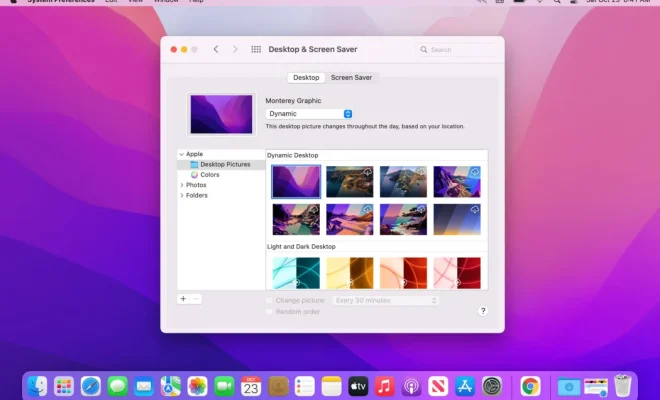
Apple has recently unveiled its latest operating system, macOS Monterey. With a host of new features and improvements over the previous version, macOS Big Sur, Monterey is set to bring enhanced functionality and performance to Mac users worldwide. In this article, we’ll delve into the key highlights of macOS Monterey, examining its most notable upgrades while providing an overall assessment of the OS.

New Features and Enhancements

1. Universal Control

One of the most anticipated features of macOS Monterey is Universal Control. This innovative functionality allows users to seamlessly control multiple Apple devices using a single mouse and keyboard. For instance, with Universal Control enabled, you can easily drag and drop files between your Mac and iPad without any additional setup or the need for separate peripherals. This feature greatly streamlines multitasking across devices and boosts productivity.

2. Focus Mode

macOS Monterey introduces a new way to manage distractions and maintain focus on essential tasks with the Focus Mode feature. Users can choose from predefined work modes (e.g., personal or work) or create custom setups tailored to specific activities. When Focus Mode is active, users will receive only designated notifications, ensuring minimal disturbance during work sessions.

3. Quick Note

A handy addition to macOS Monterey is Quick Note – a quick-access tool that lets you jot down ideas or important information without leaving the current app. The ability to add links, hashtags, and mentions further enriches your notes while enabling more efficient organization and search functionality.

4. Safari Redesign

With macOS Monterey comes a redesigned version of Safari, featuring a sleeker interface that focuses on content consumption. The update includes adjustable tab groups for improved navigation and organization while syncing across devices for a seamless browsing experience.

5. AirPlay to Mac

AirPlay compatibility now extends to Mac, allowing users to share screens and content from iPhone or iPad devices directly onto their Mac’s display with AirPlay to Mac. This is a useful feature for content sharing, and it also enables Mac screens to be used as secondary displays for productivity purposes.

6. Shortcuts

macOS Monterey brings the popular iOS app, Shortcuts, to the Mac. Users can now create custom automations and streamline workflows on their Mac devices using predefined or self-designed shortcuts, ultimately boosting efficiency and simplifying complex tasks.

7. Enhanced Privacy Features

Apple has always been a strong proponent of user privacy, and macOS Monterey is no exception. The latest OS introduces Privacy Reports within Safari, revealing which trackers have been blocked during browsing sessions. Apple has also added a microphone indicator in the Control Center to alert users when any application is using the microphone, ensuring greater transparency and control over personal data.

Conclusion

Overall, macOS Monterey offers an impressive suite of features and improvements that will undoubtedly enhance the user experience for both new and existing Mac owners. Its focus on streamlining workflows (e.g., Universal Control and Shortcuts) and enhancing productivity (e.g., Focus Mode and Quick Note) make it a worthy update for users looking to boost efficiency across their Apple ecosystem.

While the enhanced privacy features convey Apple’s commitment to protecting user data, the Safari redesign further cements its status as a powerful and intuitive web browser tailored for modern-day browsing habits. With its continued innovation in software solutions such as macOS Monterey, Apple remains at the forefront of delivering user-focused experiences that cater to an evolving digital world.


Previous Article

Apple iTunes Review

Next Article

Apple MagSafe Duo Charger Review

Matthew Lynch

Related articles More from author

  • Tech Advice

    Best Car Insurance in North Carolina

    October 20, 2023
    By Matthew Lynch
  • Tech Advice

    OneXPlayer Mini (Intel i7-1195G7) Review

    July 20, 2023
    By Matthew Lynch
  • Tech Advice

    What Is a Credit Card Grace Period?

    September 7, 2023
    By Matthew Lynch
  • Tech Advice

    Which Frequent Flyer Program is Best for Me

    October 20, 2023
    By Matthew Lynch
  • Tech Advice

    Pokemon Go May Community Day Guide: Alolan Geodude, Bonuses and More

    July 15, 2023
    By Matthew Lynch
  • Tech Advice

    9 fun games for your Alexa device and how to play them

    July 10, 2023
    By Matthew Lynch

Search

Login & Registration

  • Log in
  • Entries feed
  • Comments feed
  • WordPress.org

Newsletter

Signup for The Tech Edvocate Newsletter and have the latest in EdTech news and opinion delivered to your email address!

About Us

Since technology is not going anywhere and does more good than harm, adapting is the best course of action. That is where The Tech Edvocate comes in. We plan to cover the PreK-12 and Higher Education EdTech sectors and provide our readers with the latest news and opinion on the subject. From time to time, I will invite other voices to weigh in on important issues in EdTech. We hope to provide a well-rounded, multi-faceted look at the past, present, the future of EdTech in the US and internationally.

We started this journey back in June 2016, and we plan to continue it for many more years to come. I hope that you will join us in this discussion of the past, present and future of EdTech and lend your own insight to the issues that are discussed.

Newsletter

Signup for The Tech Edvocate Newsletter and have the latest in EdTech news and opinion delivered to your email address!

Contact Us

The Tech Edvocate
910 Goddin Street
Richmond, VA 23231
(601) 630-5238
[email protected]

Copyright © 2026 Matthew Lynch. All rights reserved.