The Tech Edvocate

Top Menu

  • Advertisement
  • Apps
  • Home Page
  • Home Page Five (No Sidebar)
  • Home Page Four
  • Home Page Three
  • Home Page Two
  • Home Tech2
  • Icons [No Sidebar]
  • Left Sidbear Page
  • Lynch Educational Consulting
  • My Account
  • My Speaking Page
  • Newsletter Sign Up Confirmation
  • Newsletter Unsubscription
  • Our Brands
  • Page Example
  • Privacy Policy
  • Protected Content
  • Register
  • Request a Product Review
  • Shop
  • Shortcodes Examples
  • Signup
  • Start Here
    • Governance
    • Careers
    • Contact Us
  • Terms and Conditions
  • The Edvocate
  • The Tech Edvocate Product Guide
  • Topics
  • Write For Us
  • Advertise

Main Menu

  • Start Here
    • Our Brands
    • Governance
      • Lynch Educational Consulting, LLC.
      • Dr. Lynch’s Personal Website
      • Careers
    • Write For Us
    • The Tech Edvocate Product Guide
    • Contact Us
    • Books
    • Edupedia
    • Post a Job
    • The Edvocate Podcast
    • Terms and Conditions
    • Privacy Policy
  • Topics
    • Assistive Technology
    • Child Development Tech
    • Early Childhood & K-12 EdTech
    • EdTech Futures
    • EdTech News
    • EdTech Policy & Reform
    • EdTech Startups & Businesses
    • Higher Education EdTech
    • Online Learning & eLearning
    • Parent & Family Tech
    • Personalized Learning
    • Product Reviews
  • Advertise
  • Tech Edvocate Awards
  • The Edvocate
  • Pedagogue
  • School Ratings

logo

The Tech Edvocate

  • Start Here
    • Our Brands
    • Governance
      • Lynch Educational Consulting, LLC.
      • Dr. Lynch’s Personal Website
        • My Speaking Page
      • Careers
    • Write For Us
    • The Tech Edvocate Product Guide
    • Contact Us
    • Books
    • Edupedia
    • Post a Job
    • The Edvocate Podcast
    • Terms and Conditions
    • Privacy Policy
  • Topics
    • Assistive Technology
    • Child Development Tech
    • Early Childhood & K-12 EdTech
    • EdTech Futures
    • EdTech News
    • EdTech Policy & Reform
    • EdTech Startups & Businesses
    • Higher Education EdTech
    • Online Learning & eLearning
    • Parent & Family Tech
    • Personalized Learning
    • Product Reviews
  • Advertise
  • Tech Edvocate Awards
  • The Edvocate
  • Pedagogue
  • School Ratings
  • Zola Suite pricing 2026

  • How to become Airbnb Superhost

  • Yelp Elite status how to get

  • Rocket Matter vs CosmoLex comparison

  • Lawyaw vs Documate which is better

  • How to use Yelp for marketing

  • How many templates in Lawyaw

  • Can TripAdvisor reviews be edited

  • How to manage documents in Zola Suite

  • Filevine vs Litify features

Tech Advice
Home›Tech Advice›All Amazon Echo wake words that aren’t Alexa — and what they do

All Amazon Echo wake words that aren’t Alexa — and what they do

By Matthew Lynch
July 8, 2023
0
Spread the love

The Amazon Echo line of smart speakers has become an essential part of many homes. These voice-controlled devices allow users to ask questions, control smart home systems, set alarms, and much more, all through vocal commands. One primary feature of the Amazon Echo is its wake word — the phrase used to activate the voice assistant, Alexa.

While “Alexa” is the default wake word for these devices, it isn’t the only option available to users. In this article, we will explore other wake words you can use with your Amazon Echo and what they do.

1. Amazon

“Amazon” is one of the alternative wake words for your Echo device. This option allows you to activate Alexa by simply saying “Amazon” followed by your request or command. Functionally speaking, this wake word provides the same capabilities as “Alexa.” It is a suitable substitute for people named Alexa or those who find themselves using the name frequently in conversation.

To change your Echo’s wake word to “Amazon,” go to the Alexa app on your smartphone, tap Devices > Echo & Alexa > [your device] > Wake Word, then select “Amazon.”

2. Echo

The “Echo” wake word provides another option for Amazon Echo users. This choice works exactly like “Alexa” or “Amazon,” enabling your device to listen and respond to commands upon hearing the word “Echo.” Some users prefer this option because it mirrors the product name and therefore feels more intuitive.

To switch to “Echo,” follow the same process as changing to “Amazon.” Just select “Echo” instead when you reach the Wake Word settings.

3. Computer

As a nod to sci-fi enthusiasts and fans of Star Trek, Amazon included “Computer” as a wake word option for Echo devices. By saying “Computer,” followed by your query or command, you can engage your device just like you would with “Alexa.”

To change your wake word to “Computer,” follow the same steps as before, choosing “Computer” from the Wake Word menu.

In conclusion, while “Alexa” remains the default wake word for Amazon Echo devices, alternative options like “Amazon,” “Echo,” and “Computer” offer the same functionality. These substitutes are excellent resources for users who wish to avoid any confusion or issues that might arise from using the more prevalent wake word. Whether you prefer one of these alternatives or stick with the classic “Alexa,” your Amazon Echo will continue to provide exceptional voice assistance in your daily life.

Previous Article

A guide to Coravin: The one gadget ...

Next Article

Tired of Cat Hair on Your Sofa? ...

Matthew Lynch

Related articles More from author

  • Tech Advice

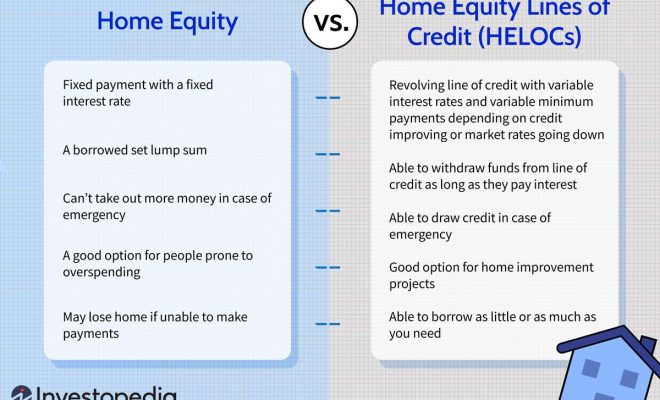
    Why HELOCs Are Becoming a Popular Way to Unlock Home Equity

    July 11, 2023
    By Matthew Lynch
  • Tech Advice

    Geeky Zoom Backgrounds to Make Your Meetings More Interesting

    July 24, 2023
    By Matthew Lynch
  • Tech Advice

    The 25 Best New Movies to Stream

    August 11, 2023
    By Matthew Lynch
  • Tech Advice

    What Are Subprime Auto Loans?

    August 21, 2023
    By Matthew Lynch
  • Tech Advice

    Apple iPad 9th gen review: The safest iPad bet makes more sense than ever

    July 13, 2023
    By Matthew Lynch
  • Tech Advice

    The Best Thanksgiving Meal Kits: Simplify Your Holiday Cooking with These Picks

    July 9, 2023
    By Matthew Lynch

Search

Login & Registration

  • Log in
  • Entries feed
  • Comments feed
  • WordPress.org

Newsletter

Signup for The Tech Edvocate Newsletter and have the latest in EdTech news and opinion delivered to your email address!

About Us

Since technology is not going anywhere and does more good than harm, adapting is the best course of action. That is where The Tech Edvocate comes in. We plan to cover the PreK-12 and Higher Education EdTech sectors and provide our readers with the latest news and opinion on the subject. From time to time, I will invite other voices to weigh in on important issues in EdTech. We hope to provide a well-rounded, multi-faceted look at the past, present, the future of EdTech in the US and internationally.

We started this journey back in June 2016, and we plan to continue it for many more years to come. I hope that you will join us in this discussion of the past, present and future of EdTech and lend your own insight to the issues that are discussed.

Newsletter

Signup for The Tech Edvocate Newsletter and have the latest in EdTech news and opinion delivered to your email address!

Contact Us

The Tech Edvocate
910 Goddin Street
Richmond, VA 23231
(601) 630-5238
[email protected]

Copyright © 2026 Matthew Lynch. All rights reserved.