The Tech Edvocate

Top Menu

  • Advertisement
  • Apps
  • Home Page
  • Home Page Five (No Sidebar)
  • Home Page Four
  • Home Page Three
  • Home Page Two
  • Home Tech2
  • Icons [No Sidebar]
  • Left Sidbear Page
  • Lynch Educational Consulting
  • My Account
  • My Speaking Page
  • Newsletter Sign Up Confirmation
  • Newsletter Unsubscription
  • Our Brands
  • Page Example
  • Privacy Policy
  • Protected Content
  • Register
  • Request a Product Review
  • Shop
  • Shortcodes Examples
  • Signup
  • Start Here
    • Governance
    • Careers
    • Contact Us
  • Terms and Conditions
  • The Edvocate
  • The Tech Edvocate Product Guide
  • Topics
  • Write For Us
  • Advertise

Main Menu

  • Start Here
    • Our Brands
    • Governance
      • Lynch Educational Consulting, LLC.
      • Dr. Lynch’s Personal Website
      • Careers
    • Write For Us
    • The Tech Edvocate Product Guide
    • Contact Us
    • Books
    • Edupedia
    • Post a Job
    • The Edvocate Podcast
    • Terms and Conditions
    • Privacy Policy
  • Topics
    • Assistive Technology
    • Child Development Tech
    • Early Childhood & K-12 EdTech
    • EdTech Futures
    • EdTech News
    • EdTech Policy & Reform
    • EdTech Startups & Businesses
    • Higher Education EdTech
    • Online Learning & eLearning
    • Parent & Family Tech
    • Personalized Learning
    • Product Reviews
  • Advertise
  • Tech Edvocate Awards
  • The Edvocate
  • Pedagogue
  • School Ratings

logo

The Tech Edvocate

  • Start Here
    • Our Brands
    • Governance
      • Lynch Educational Consulting, LLC.
      • Dr. Lynch’s Personal Website
        • My Speaking Page
      • Careers
    • Write For Us
    • The Tech Edvocate Product Guide
    • Contact Us
    • Books
    • Edupedia
    • Post a Job
    • The Edvocate Podcast
    • Terms and Conditions
    • Privacy Policy
  • Topics
    • Assistive Technology
    • Child Development Tech
    • Early Childhood & K-12 EdTech
    • EdTech Futures
    • EdTech News
    • EdTech Policy & Reform
    • EdTech Startups & Businesses
    • Higher Education EdTech
    • Online Learning & eLearning
    • Parent & Family Tech
    • Personalized Learning
    • Product Reviews
  • Advertise
  • Tech Edvocate Awards
  • The Edvocate
  • Pedagogue
  • School Ratings
  • 100 Best Apps for Reducing Churn

  • 100 Best Apps for Customer Retention

  • 100 Best Apps for Customer Success

  • 100 Best Apps for User Onboarding

  • 100 Best Apps for Customer Onboarding

  • One Union Just Gave $290,000 to Laid-Off Game Developers — Here’s Why It Matters

  • 100 Best Apps for Client Communication

  • 100 Best Apps for Client Portals

  • 100 Best Apps for Managing 50+ Clients

  • 100 Best Apps for Client Management

Digital & Mobile Technology
Home›Digital & Mobile Technology›How to Play Minecraft in VR

How to Play Minecraft in VR
By Matthew Lynch
June 23, 2023
0
Spread the love

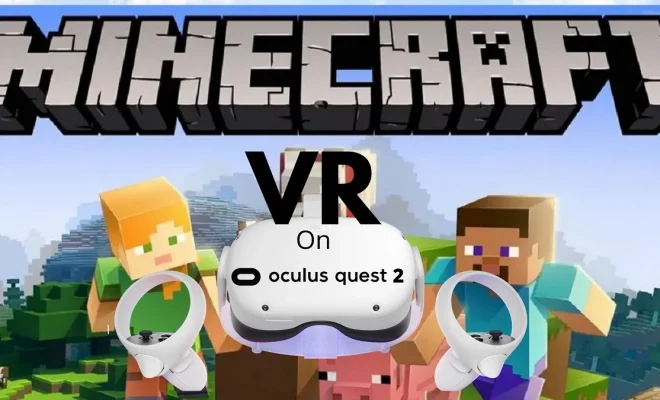
Minecraft is a popular video game that has been enjoyed by players all around the world for over a decade. It allows players to create and explore virtual worlds with unlimited possibilities. With the rise of virtual reality (VR) technology, players can now experience Minecraft in a whole new immersive way. Here’s how to play Minecraft in VR.

Step 1: Get a VR Headset

The first step to playing Minecraft in VR is to have a compatible VR headset. The most popular VR headsets in the market are the Oculus Rift, HTC Vive, and Windows Mixed Reality. These headsets come with different features and specifications, so it’s essential to get the one that suits your needs and budget.

Step 2: Install Minecraft

Once you have a VR headset, the next step is to install Minecraft on your device. You can buy Minecraft from the official website or your preferred game store. If you already have Minecraft installed, you can skip this step.

Step 3: Install the VR Mod

After installing Minecraft, the next step is to install the VR mod that allows you to experience the game in VR. This mod is available on the Minecraft forums, and it’s compatible with most VR headsets. You’ll need to download and install the mod into your Minecraft folder.

Step 4: Launch Minecraft in VR

Once you’ve installed the VR mod, you can now launch Minecraft in VR. Open the game launcher and select the VR mod from the list of available mods. The game will start in VR, and you can now enter your virtual world.

Step 5: Set Up Your VR Environment

Before diving into your virtual world, you need to set up your VR environment. Your VR headset displays will show two separate images, one for each eye. You need to adjust your headset until the two images merge into one clear 3D image. You also need to calibrate your controller or keyboard to control your character in the game.

Step 6: Play Minecraft in VR

Once you’ve set up your VR environment, you can now play Minecraft in VR! You can explore your virtual world, build structures, mine resources, and interact with other players. VR Minecraft provides a more immersive and interactive experience than playing on a regular screen.


Previous Article

Sites for Copyright and Royalty-Free Images

Next Article

Is BitTorrent Safe? Torrenting Safety Tips

Matthew Lynch

Related articles More from author

  • Digital & Mobile Technology

    What Is Upscaling? How Does It Work? Is It Worth It?

    June 13, 2023
    By Matthew Lynch
  • Digital & Mobile Technology

    Did You Know Your iPhone Has a Built-in Dictionary? Here’s How to Use It

    June 22, 2023
    By Matthew Lynch
  • Digital & Mobile Technology

    How to Drop Multiple Pins on Google Maps

    June 1, 2023
    By Matthew Lynch
  • Digital & Mobile Technology

    How to Use the Excel DATE Function

    June 4, 2023
    By Matthew Lynch
  • Digital & Mobile Technology

    Best Wallets for Staking Solana

    June 15, 2023
    By Matthew Lynch
  • Digital & Mobile Technology

    How to Fix the “Liquid Detected in Lightning Connector” Alert on Your iPhone

    August 5, 2023
    By Matthew Lynch

Search

Login & Registration

  • Log in
  • Entries feed
  • Comments feed
  • WordPress.org

Newsletter

Signup for The Tech Edvocate Newsletter and have the latest in EdTech news and opinion delivered to your email address!

About Us

Since technology is not going anywhere and does more good than harm, adapting is the best course of action. That is where The Tech Edvocate comes in. We plan to cover the PreK-12 and Higher Education EdTech sectors and provide our readers with the latest news and opinion on the subject. From time to time, I will invite other voices to weigh in on important issues in EdTech. We hope to provide a well-rounded, multi-faceted look at the past, present, the future of EdTech in the US and internationally.

We started this journey back in June 2016, and we plan to continue it for many more years to come. I hope that you will join us in this discussion of the past, present and future of EdTech and lend your own insight to the issues that are discussed.

Newsletter

Signup for The Tech Edvocate Newsletter and have the latest in EdTech news and opinion delivered to your email address!

Contact Us

The Tech Edvocate
910 Goddin Street
Richmond, VA 23231
(601) 630-5238
[email protected]

Copyright © 2026 Matthew Lynch. All rights reserved.